
FastCull
Built by wedding photographers, for wedding photographers
Cull a wedding gallery in minutes, not hours.
FastCull is the culling app for event and wedding photographers — face detection, burst grouping and quick tagging in one fast, focused tool. No subscription. Buy once, own it forever.
✓ No registration needed
✓ 30 day free trial · Free to use forever
MacOS only (Apple Silicon)
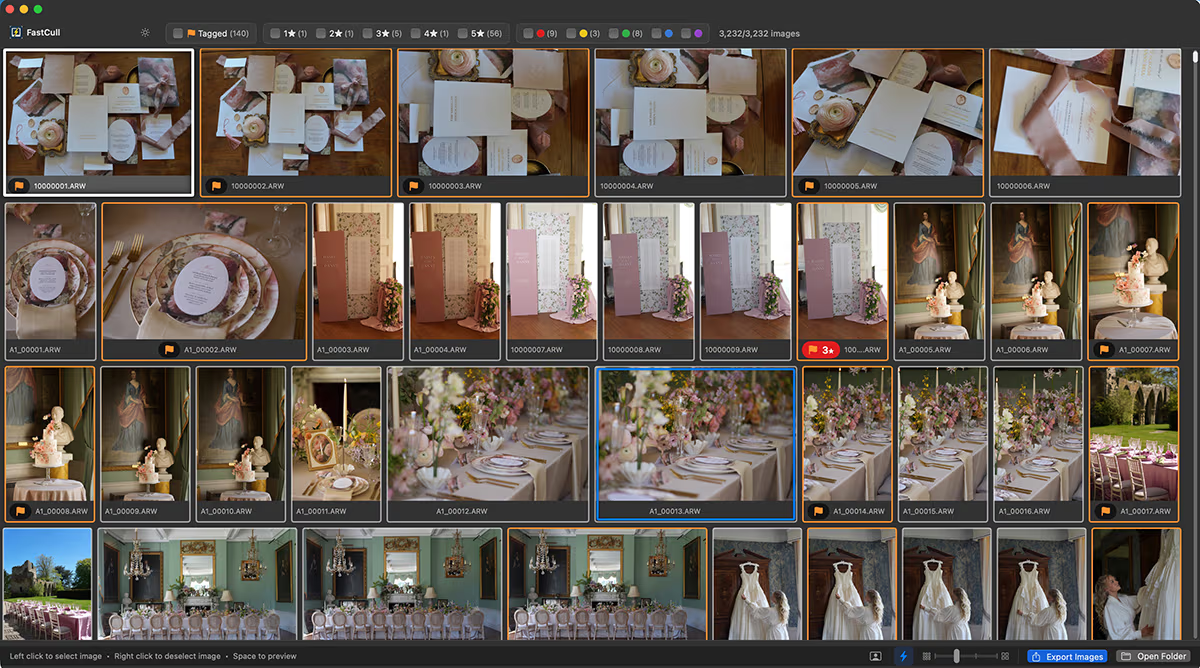
Spend less time culling and more time earning
That was the simple philosophy behind FastCull. Designed by a full-time wedding photographer shooting 40+ weddings a year who was sick of spending hours culling.
I tried every tool out there. None of them cut it, so I built my own. And here we are. I brought in a few wedding photographer friends along the way to help make it fast and flexible, built to cull an event in minutes so you can get back to the work and avoid culling hell.
Three Features to Help You Cull Faster

Face Detection
Automatically finds faces in the image so you can quickly determine the best expressions.

Quick Tag
Scroll through a full gallery in a fast grid view, tagging keepers and untagging with mouse only.

Burst Grouping
Continuous bursts are grouped automatically, so once you’ve picked the best frame, you can quickly skip the rest.
Cull in a Grid
Say goodbye to culling one image at a time. Quick-Tag mode shows your whole shoot as a grid, so you can scan, select and tag images in seconds rather than clicking through them one by one.
Paired with Hover Face Previews this is where FastCull actually saves you hours, not minutes. Once you’ve culled this way, going back to a single-image view will feel like hard work.
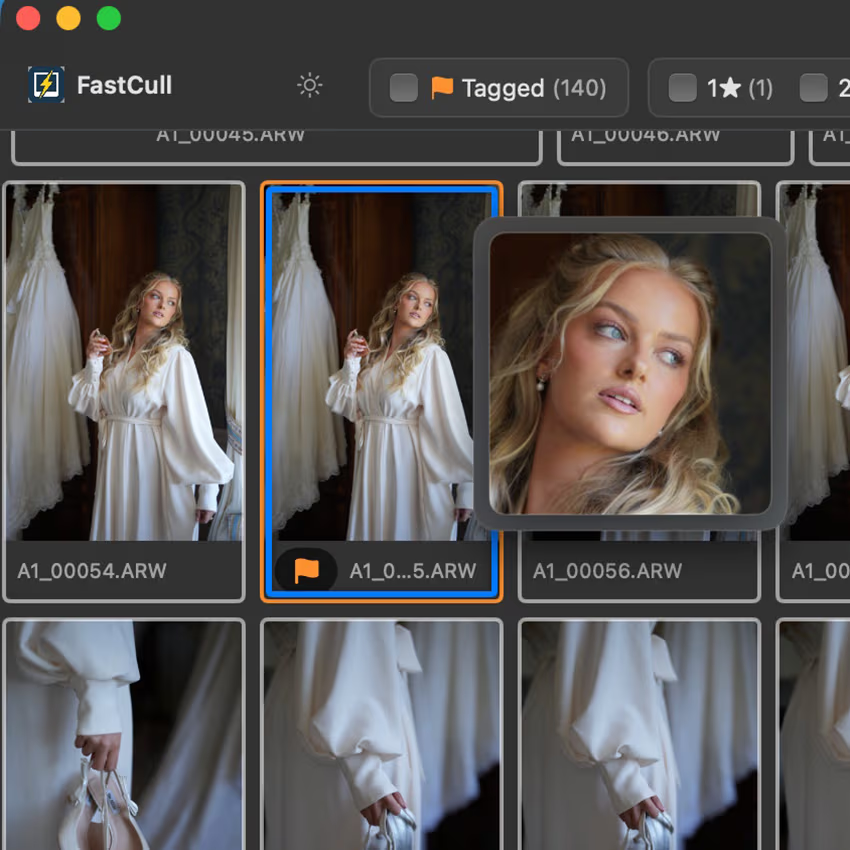
Hover Face Previews
Hover face previews lets you check what often decides a photo’s fate, the faces, without leaving the grid. Hover over a thumbnail and FastCull zooms straight into any detected faces, so you can spot closed eyes or awkward expressions instantly instead of opening each image full screen. It turns one of the slowest parts of culling into a snap decision, which adds up fast across a full wedding’s worth of images.
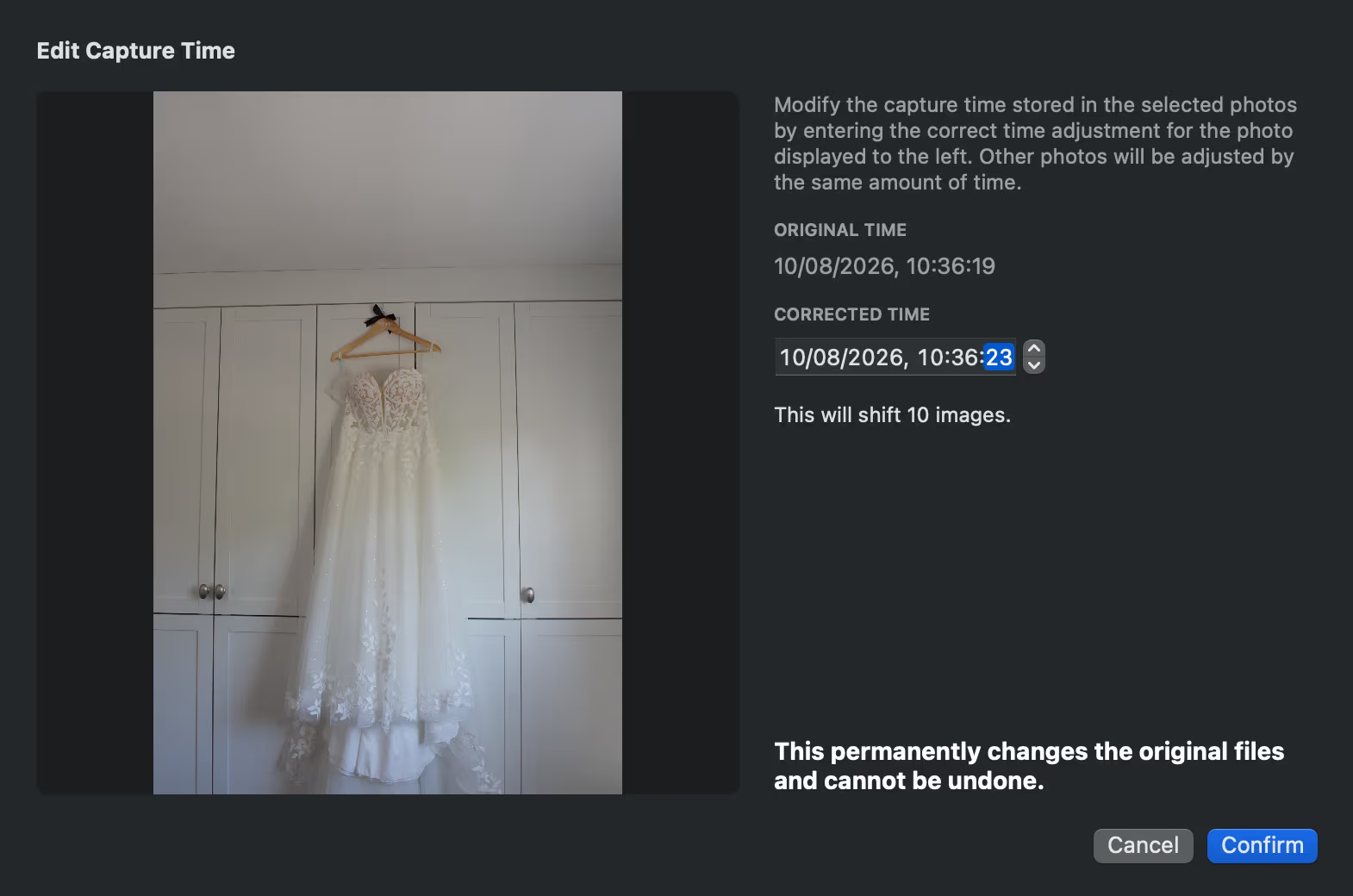
Batch Change Time/Date
FastCull makes it easy to fix mismatched camera clocks between shooters. Just pick a reference photo, tell FastCull the correct time, and it instantly realigns every shot from that camera. Your timeline stays perfectly in sync, so multi-shooter, multi-camera culling just works.
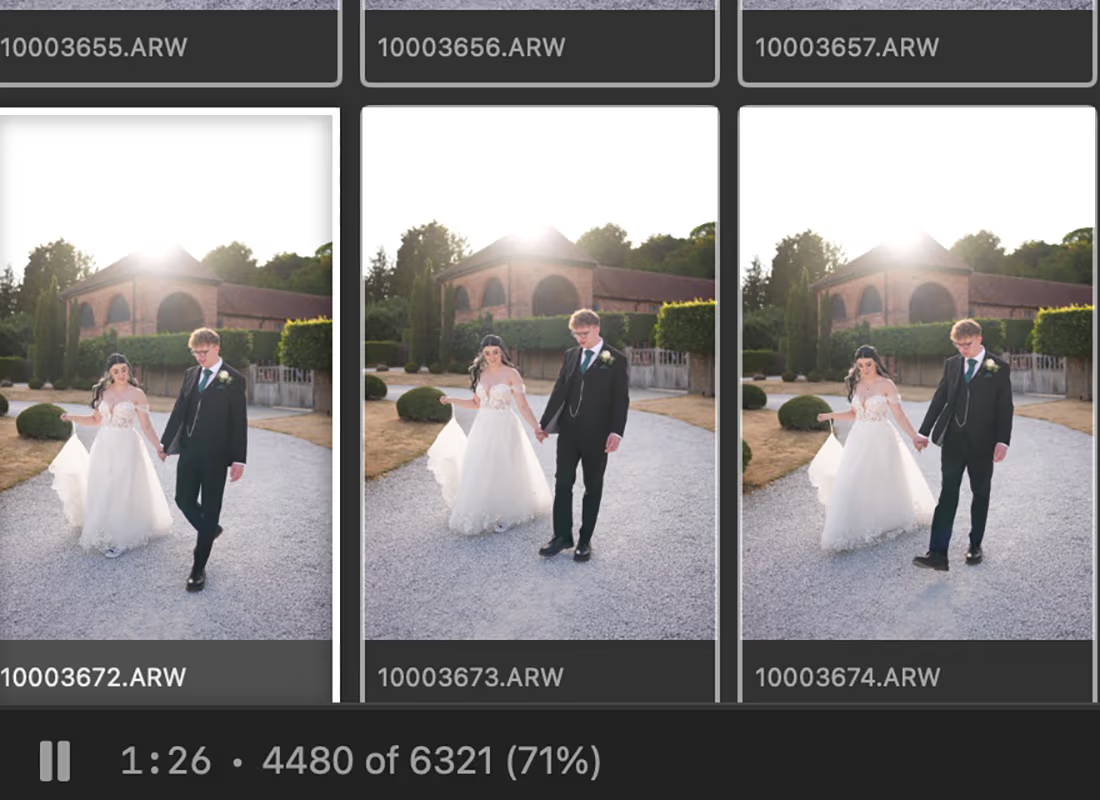
Session Timer/Progress Meter
Ever wondered where your culling time actually goes? FastCull’s built in session timer and progress meter shows you exactly how long you’ve spent on a gallery and how far through you are, in real time. And because it automatically pauses when you switch apps or go idle, the numbers reflect actual culling time, not time spent checking email or grabbing a coffee.
Free to Use
FastCull Free is a fully capable culling app; not a stripped-down demo. It works much like the classic culling tools you already know, and it’s completely free.
30 Day FREE Trial
Try FastCull’s premium features, including Face Detection and Quick Tag in Grid View, so you can test the full workflow before deciding whether to upgrade. No credit card required.
No commitment either, at the end of the trial FastCull reverts to free mode rather than stopping working. You keep a fully capable culling app either way.
Free vs. Premium
System Requirements
FastCull runs on Apple Silicon Macs (M1 or later). Windows is NOT supported at this time.
Frequently Asked Questions
Got a question, click on the frequently asked ones below to find out more
No, other than your license and email details, no other data is stored in the cloud. All processing is done locally and complies with all GDPR regulations.
This happens because Sony RAW (.ARW) files only embed a small JPEG preview, capped at 1616×1080 regardless of your camera’s actual resolution. Many culling tools display that embedded preview directly, so when they crop in tight on a face to check focus, they’re essentially zooming into a low-res JPEG. That’s why faces can look soft or blocky even when the shot is perfectly sharp.
FastCull avoids this by letting you generate true full-resolution previews from the RAW data itself, rather than relying on the small embedded JPEG. You can generate these on demand or run it as a one time routine over your library, so face crops and sharpness checks reflect the real detail captured by your sensor. No need to shoot RAW+JPG or pre-convert your files to DNG just to get a usable preview.
No, whilst AI assisted culling software is making great strides, at this time I don’t think it is quite accurate enough yet for wedding photographers and other event photographers. Instead FastCull focuses on making it as easy and as quickly as possible to rapidly cull a large volume of images.
FastCull has been designed and built with performance in mind and using the years of experience I have as a wedding photographer to create a tool that is both flexible and designed purely to help you get to the end result FAST. No gimmicks, just tried and tested features I wish I had years ago.
AI culling can be useful to get a large volume of images down to a more manageable amount. SwiftCull reads from the standard XMP files and respects the colours and ratings which popular tools such as Aftershoot and Imagen assign, so yes. SwiftCull can be used to perform a second cull and get you down to your desired final number quickly.
In your Imagen app, once the AI culling process has been completed, click the export ratings button to save the data to XMP files that SwiftCull can read.

Each license enables you to install on a single computer. Please message me if you require more than one computer to discuss your specific requirements.
Whilst there are currently no plans to, never say never. If demand is out there then plans can be changed :)
Email me at support@getfastcull.com. If you have issues, I will resolve them as soon as possible. If you have any suggestions for improvement or feedback then do let me know also.
FastCull is definitely a one time purchase with no additional payments required. Your purchase covers every update within that major version, so buying 1.x includes any future 1.x updates, with future major upgrades like 2.x sold separately.
Lifetime license
£95
one-time
Pay once. No subscription, no renewals.
Secure checkout via Stripe